- Go to the site where you would like to use Managed Navigation
- NOTE: if you would like to use Navigation inheritance for children sites, then make sure to perform the configuration on the top site which should have this navigation in your Site Collection (most likely your root site in the collection)
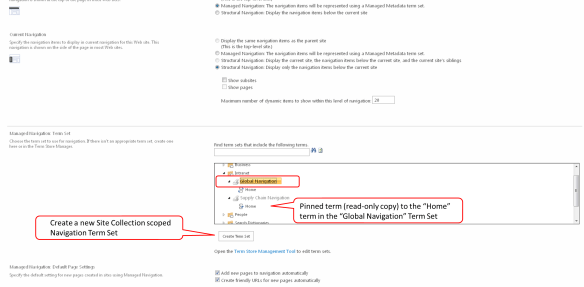
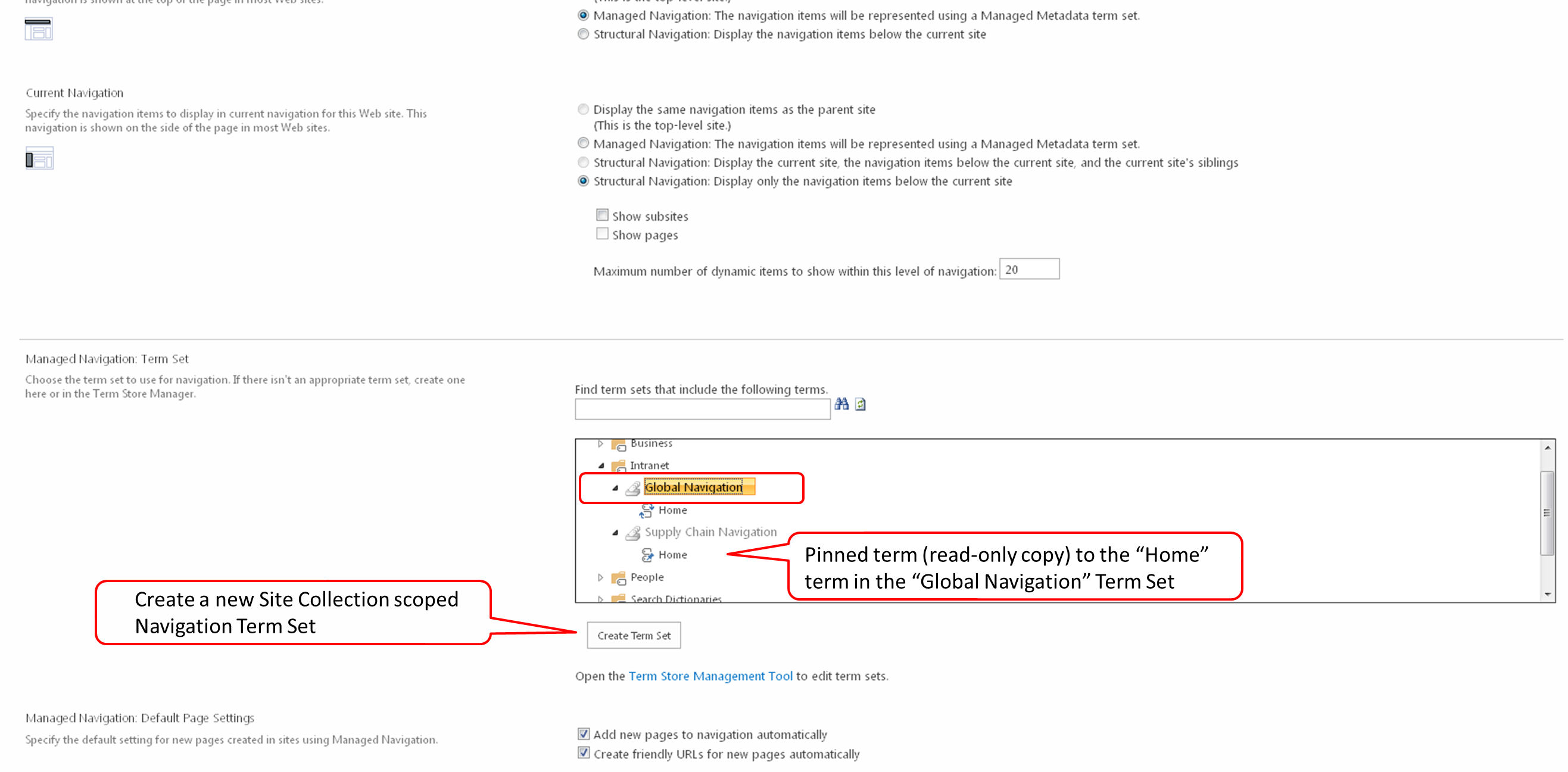
- NOTE: a navigation Term Set can only be configured once to a site, if you would like to reuse your Term Set for navigation on another peer site or another Site Collection, or even another Web Application, then you will need to create another Term Set and pin the first level terms (with children) to your existing Term Set. You can see this in the screen shot below on the Term Set “Supply Chain Navigation”.
- Go to the Navigation configuration screen in Site Settings
- Click Site Actions > Site Settings
- Click Navigation [Look and Feel]
- Click on the Managed Navigation option [Global Navigation section]
- Expand the Term Groups and select the Term Set that you would like to use for your site’s Navigation [Managed Navigation: Term Set section] or click the “Create Term Set” button to create a new Site Collection scoped Navigation Term Set
- Then click the OK button
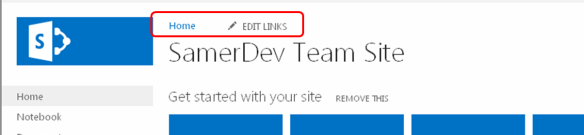
- Go to your site and observe the Global Navigation
Samer 365
Meanderings on Consulting, GenAI, Copilot, Azure & Microsoft 365


 Samer 365